[iOS] table view 셀 클릭했을 때, 회색으로 변하지 않게 하기
https://stackoverflow.com/questions/33046573/why-do-my-uitableviewcells-turn-grey-when-i-tap-on-them
Why do my UITableViewCells turn grey when I tap on them?
When I tap on the cells of my table view, they darken to a grey color, and don't turn back to white until I tap on a different cell. Is there some sort of Boolean I have to set for it to not do tha...
stackoverflow.com
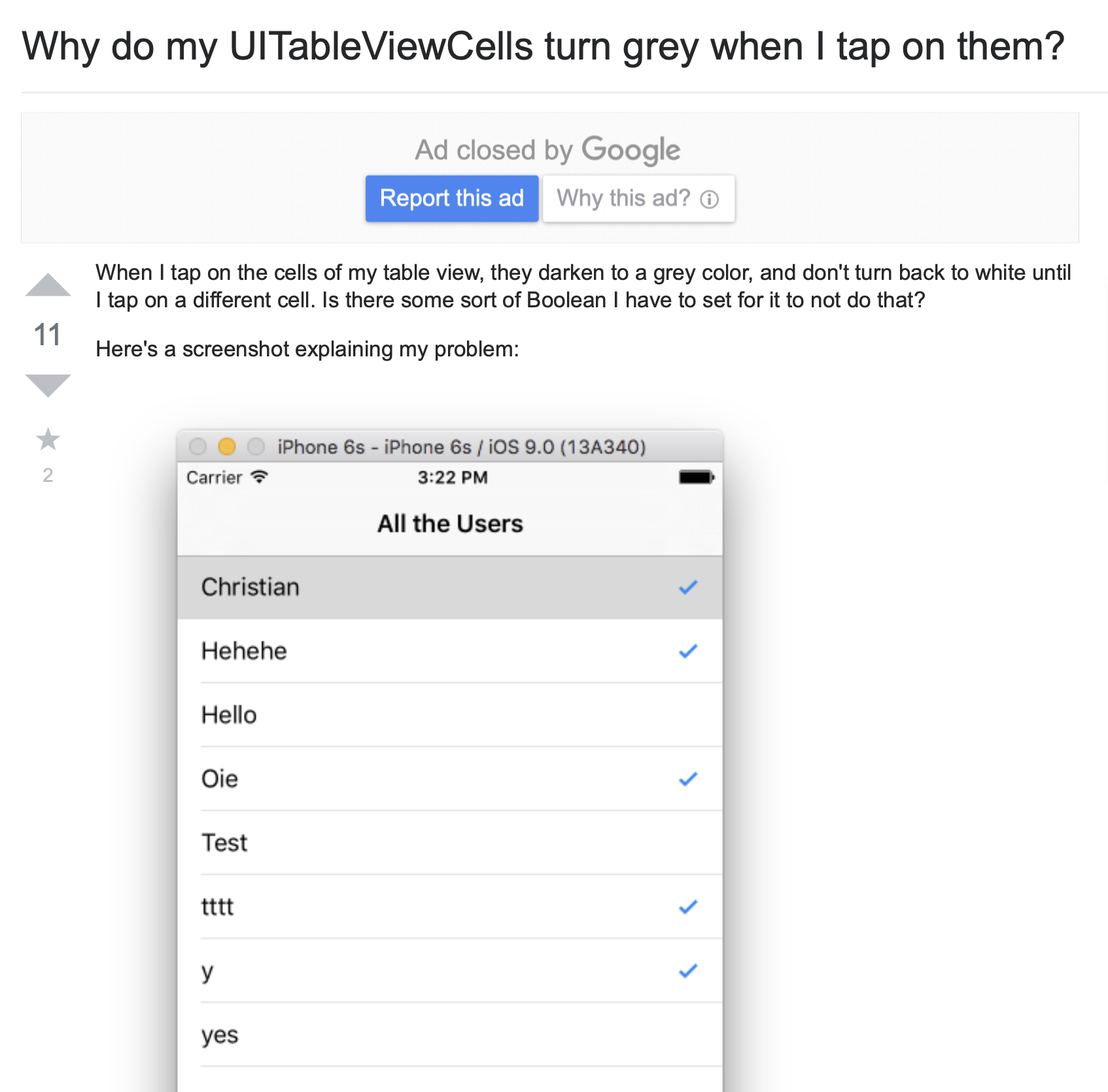
위에 링크 걸어둔 StackOverFlow의 질문과 같은 상황이어서 정리하게 되었다.
아무튼, 테이블 뷰를 시뮬레이터에서 실행하고 셀을 눌렀을 때, 다른 셀을 누르기 전 까지 계속 그 셀이 회색으로 변해있는 상황이었는데, 처음에는 테이블 뷰가 뭔가 잘못된 줄 알았지만, 저 답변을 읽고 나서야 이게 table view의 디폴트 설정인걸 알게 되었다
이걸 해결하는 다양한 방법이 있다.
1. 셀 자체가 아예 select 되는걸 막기
2. cell 선택시 바로 deselect 시켜버리기
3. 투명한 background를 만들어서 넣어주기
1. 셀 자체가 아예 select 되는걸 막기
func tableView(_ tableView: UITableView, cellForRowAt indexPath: IndexPath) -> UITableViewCell {

    let cell = .....
    cell.selectionStyle = .none
    return cell
}
2. cell 선택시 바로 deselect 시켜버리기
func tableView(tableView: UITableView, didSelectRowAtIndexPath indexPath: NSIndexPath) {
	tableView.deselectRowAtIndexPath(indexPath, animated: true)
}
하지만, cell의 selectionStyle 자체를 none으로 해주면 아예 didSelectRowAt 메소드가 작동하지 않는다.
2022.2.10 수정 ) cellforrowat메서드에 cell.selectionStyle= .none으로 설정해주어도didselectrowat메서드가 잘 호출된다고 한다.
 let background = UIView()
    background.backgroundColor = .clear
    cell.selectedBackgroundView = background
    return cell
이렇게 background를 따로 만들어서 clear을 주는 방식이 훨씬 나아보인다.