macOS, iOS
[SwiftUI] 기존 iOS개발자를 위한 SwiftUI 입문
SweetDev
2021. 2. 20. 15:25
@Binding: SwiftUI ----(data)---> UIKit
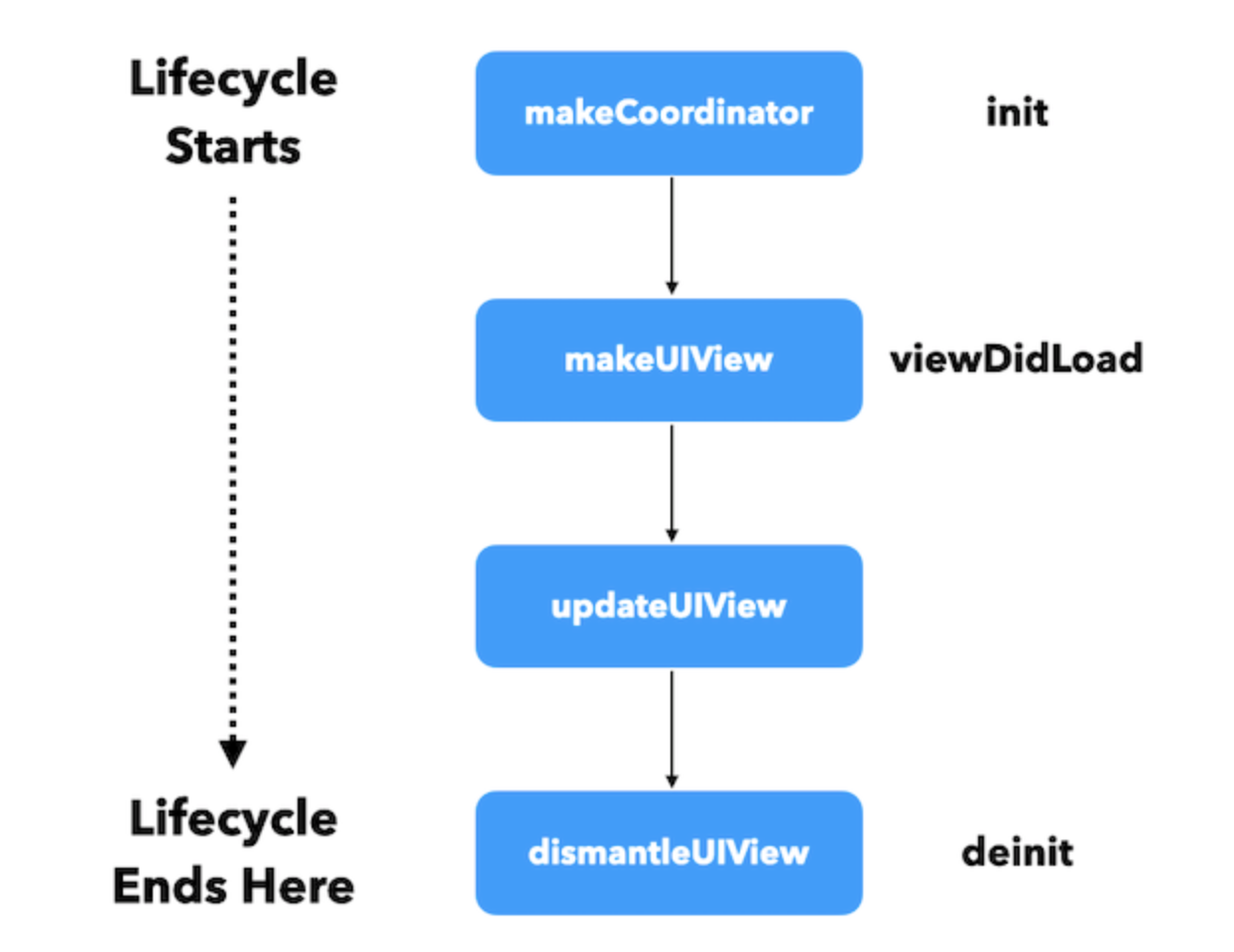
Coordinator: UIKit ----(data)---> SwiftUI
Coordinator을 쓰면, UIKit의 delegate를 구현할 수 있다.
class Coordinator: NSObject, UISearchBarDelegate {
    @Binding var text: String
    init(text: Binding<String>) {
        _text = text
    }
    func searchBar(_ searchBar: UISearchBar, textDidChange searchText: String) {
        text = searchText
    }
}
struct SearchBarView: UIViewRepresentable {
@Binding var text: String
var placeholder: String
func makeCoordinator() -> Coordinator {
return Coordinator(text: $text)
}
func makeUIView(context: Context) -> UISearchBar {
let searchBar = UISearchBar(frame: .zero)
searchBar.delegate = context.coordinator
searchBar.placeholder = placeholder
searchBar.searchBarStyle = .minimal
searchBar.autocapitalizationType = .none
return searchBar
}
func updateUIView(_ uiView: UISearchBar,
context: Context) {
uiView.text = text
}
}
[zeddios.tistory.com/763?category=796110] 제드님 블로그 보고 정리!
1. UIHostingController
용도: 스토리보드에서 SwiftUI를 쓰기 위해서
SwiftUI view를 나타내는 UIViewController을 상속받아 만들어진 클래스
쓰려면 import SwiftUI 필수
2. UIViewControllerRepresentable
용도: SwiftUI에서 스토리보드를 쓰기 위해서.
struct만들고, UIViewControllerRepresentable채택하고,
typealias로 어떤 타입의 UIViewController로 만들건지 정하고,
makeUIViewController랑 updateUIViewController 함수를 구현해준다.